I Asked ChatGPT to Recommend a Web Designer in Kingston. It Didn’t Recommend Me.

More people are starting their search for a web designer by asking ChatGPT instead of Googling. So I decided to find out where that leaves me. I opened a new chat, said I needed a website, mentioned I was based in Kingston upon Thames, and asked for recommendations.

I didn’t get a straight answer. I got a shortlist. And I wasn’t on it.

What ChatGPT Said First

The first answer named a handful of larger local agencies as the safest choices, based on team size, review volume and range of services. It then listed a few smaller studios and freelancers underneath, again without me.

So I asked directly. Why not Design by Nadja?

Once It Found Me, the Answer Changed

That’s when things got interesting. ChatGPT came back with this:

“That’s a fair question. Based on what I found, I wouldn’t rule out Design by Nadja at all. In fact, if you’re a small to medium business and value working directly with the person building your site, she’d move up my shortlist.”

It went on to list what it had found: close to twenty years of experience, a direct relationship with the person actually building your site rather than being handed to junior staff, ongoing support and SEO after launch, and reviews that repeatedly mention responsiveness and long term support.

Then it said something I didn’t expect. For a typical local project in the two to ten thousand pound range, it would be “quite comfortable” recommending me alongside one agency quote for comparison, and that I looked like one of the stronger independent web designers in the area rather than someone it would dismiss.

Good. But it took a follow up question to get there. The first answer should have already known that.

Why I Got Skipped the First Time

I asked it directly what would have changed its original answer. It didn’t dodge the question.

It said the bigger agencies surface first because they generate more digital noise. More backlinks, more press mentions, more directory listings, more sheer review volume. None of that is about the quality of the work. It’s about how much evidence of that work exists in places an AI can find quickly.

Then it pulled quotes straight from my own reviews that it clearly thought I was hiding.

“business increased substantially”

“SEO improvements already showing results”

“the difference it made to my business”

Those lines are sitting on review platforms. They’re not on my website where they’d actually do some work.

It also pointed out that I’ve got clients from ten and fifteen years back, but my site talks about being a “creative web designer” rather than someone with eighteen years of experience solving one specific problem for local businesses. And it flagged that I don’t have a dedicated page that simply answers the question someone would type into it. No “web designer Kingston upon Thames” page built to be found and quoted.

None of this was about my work being weak. It was about how little of the proof was visible in the right place.

What This Means for Your Own Business

Here’s the bit that matters more than any of the above. This isn’t really a story about picking a web designer. It’s a test, and it’s the same test your business is being put through right now, whether you know it or not.

Ask ChatGPT to recommend an electrician, a physio, a consultant, whatever you do, in Kingston upon Thames. See if it finds you. Then ask it why, or why not.

The gaps it found in me are the same gaps most local businesses have.

Proof buried in the wrong place. Your best reviews are probably sitting on Google or Facebook instead of on your own site where they can actually do some work.

No page that answers the exact question people ask. If someone searches for what you do plus your town, you need a page that says exactly that, clearly, not implied through clever branding.

Experience that isn’t stated plainly. If you’ve been doing this for years, say so in numbers. Don’t make people infer it.

Not enough evidence outside your own website. Directories, mentions, write ups. The more places say the same true things about you, the easier you are to trust and to find.

I know these gaps now because I just had them pointed out about my own business. If you want someone to look at yours with the same eye, that’s exactly what I do.

What I’m Doing About It

I’m not going to pretend the audit didn’t land. It was right. I’ve got the reviews and the track record, I just haven’t been putting the proof where it needs to be.

So here’s what’s changing. I’m building out proper case studies with real numbers instead of finished screenshots, rewriting my About page to actually say what eighteen years and one person doing the work means for you, and building the local pages that answer the exact questions people are typing into Google and ChatGPT.

If you want the short version, ask ChatGPT yourself. Just do me a favour and ask the follow up question too.

Why Ranking Number One in Google Doesn’t Mean You’ll Get More Enquiries

I rank number one in local search for my main search term. But the ranking didn’t bring me a steady flow of enquiries.

If you’re in a similar position, ranking well for your main term but not seeing the phone ring, here is what I’ve learned about why that happens, based on what I found when looking at my own stats and fixing my own site.

Ranking gets you seen. It doesn’t get you chosen.

There’s a gap between showing up in a search and someone deciding to contact you, and most business owners never look closely at that gap.

Being at the top of the results just means Google trusts your site enough to show it first. It says nothing about whether the person looking at it trusts you enough to get in touch.

Those are two completely different things. Ranking is Google’s decision. Contacting you is the customer’s decision. You can win the first one and still lose the second.

I was winning the first one for months while barely making a dent in the second.

What I found when I actually looked at my own site

Once I accepted that the ranking wasn’t the problem, I had to work out what was.

I went through my site the way a stranger would, not the way I see it after years of familiarity. A few things stood out straight away.

My case studies weren’t doing their job. A couple of them just linked out to the live website instead of explaining what the project actually involved or what changed for the client. If you’re a business owner trying to work out whether I’m any good, a link to a homepage tells you nothing.

My pricing for add on services wasn’t visible where it needed to be. I have a Google Business Profile optimisation service. You’d struggle to find the price for it unless you already knew to look.

My about page was full of qualifications and short on the actual person. Nobody deciding whether to trust a solo web designer wants a list of courses. They want to know who they’d be dealing with.

None of this was a ranking problem. It was a “would I trust this enough to email them” problem.

Three checks worth doing on your own site today

You don’t need an audit tool for this. You need to look at your site like someone who’s never met you and has three other tabs open with your competitors.

  • Can a stranger tell what you actually deliver? Not “web design services”. What specifically happens, and what changes for the client afterwards.
  • Is your pricing visible or hidden? If someone has to email you just to find out roughly what something costs, some of them won’t bother. They’ll go to whoever made it easy.
  • Does your site look like a real person runs it? A photo, a name, some sense of who you’re actually dealing with. This matters more for solo operators and small teams than almost anything else on the page.

If you can’t answer yes to all three, that’s likely costing you more enquiries than your ranking is winning you.

Why this matters more for local service businesses

Say you’re a solicitor, an accountant or a consultant based in Kingston. People searching for you aren’t choosing based on which office is closest. They’re choosing based on whether the site in front of them looks like it belongs to someone competent and reliable, and that judgement happens before the ranking position even registers.

If you’re that business owner, this gap matters even more than it does for a shop or a takeaway down the road.

I redesigned my own homepage with this in mind. Real review, specific numbers where I have them, a clearer sense of who I actually am. It’s a work in progress, same as most things worth doing properly.

The bit most people skip

Fixing your ranking is a project with a clear finish line. Fixing whether people trust what they see when they land on your site is ongoing. It’s reviews you keep collecting, case studies you keep adding, pages you keep sharpening.

That’s a less exciting story than “get to number one and you’re done”, but it’s the honest one.

What to Look For When Hiring a Web Designer

Hiring a web designer is harder than it should be. Most sound the same: bespoke websites, passionate about your business, results-driven. It all blurs together before you’ve even had a first call.

The problem only becomes clear later. The site goes live and nothing’s set up for search. The designer is impossible to reach. You’ve got no idea how to update anything and there’s no support in place.

I’ve been building custom WordPress websites since 2008 and I’ve helped plenty of clients who came to me after a bad experience with hiring a web designer elsewhere. Here’s what I’d actually check before hiring anyone.

Look at their live work, not their portfolio page

Every designer has a curated portfolio. What tells you more is how their sites actually perform once they’re live.

Visit three or four websites they’ve built and check these yourself:

  • Load speed: Does it feel fast on mobile? Slow sites lose rankings and visitors.
  • Mobile experience: Not just “does it display” but does it actually work? Is the navigation usable? Can you read it without zooming?
  • SEO basics: Is it clear what the business does and where they’re based? Are there proper page titles and headings, or does everything look vague and generic?
  • Contact journey: How many clicks to get in touch? Is the next step obvious?

A screenshot tells you what something looks like. A live site tells you whether the designer you’re hiring understands how websites work for real businesses.

Before you sign anything, ask what happens after launch

This is the question most people forget, and it’s the one that matters most.

WordPress sites need ongoing attention: plugin updates, security patches, backups, uptime monitoring. Without that, your site becomes a liability and vulnerable to being hacked, prone to breaking unexpectedly, and slowly falling behind technically in ways that affect your search rankings.

Before hiring a web designer, ask:

  • What does handover look like after we go live?
  • Do you offer any kind of ongoing support or maintenance?
  • If something breaks six months from now, what’s the process?

Some designers hand you a login and walk away. Others offer monthly support packages. Neither is automatically wrong, but you need to know which one you’re getting, and factor it into your decision.

If you’re not technical and don’t have anyone in-house who can manage a WordPress site, build ongoing support into your budget from day one. It’s not an optional extra.

Dig into what “SEO-friendly” actually means

Almost every web designer will tell you they build SEO-friendly websites. That phrase has been stretched so far it’s nearly meaningless.

What you actually want to know is whether they understand the structural decisions that affect search performance:

  • Page structure: Are service pages built around specific search terms, or is everything bundled onto one vague “services” page?
  • Location signals: If you need local clients, is location used properly throughout: in headings, page titles, meta descriptions and body copy?
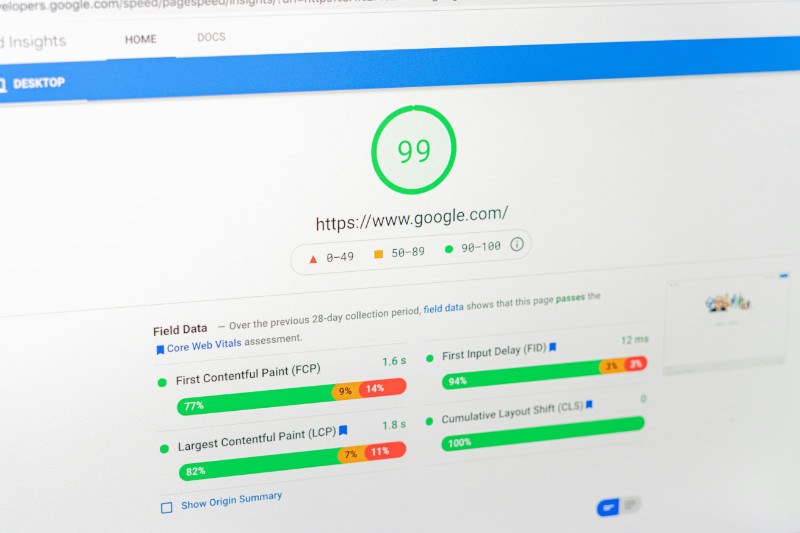
  • Site speed and Core Web Vitals: Google publishes its own guidance on Core Web Vitals and what affects them if you want to check how a site performs before you commit.
  • Internal linking: Are pages connected in a way that helps Google understand the site’s structure and what’s important?

You don’t need to quiz them on every technical detail. But ask: “How do you approach SEO for a service business?” If you get something vague about keywords and meta tags, that’s a useful signal.

Find out who’s actually doing the work

With agencies, the person who presents to you is rarely the person who builds your site. You might have a great first meeting with a senior designer, then your project gets handed to a junior developer you’ve never spoken to.

With freelancers, you know exactly who’s doing the work. The risk is capacity: how many other projects are running at the same time, and what happens to yours when something else gets busy.

Ask directly:

  • Who will design and build my site?
  • How many other projects are you working on alongside mine?
  • How do you communicate during a build and what should I expect from you?

There’s no universally right answer. But you should know what you’re getting before you commit.

Understand what you’re actually buying at each price point

A £500 website and a £5,000 website are not the same product with a different price tag.

At the lower end you’re typically getting a template with your content dropped in. Minimal customisation, limited SEO structure, no support once it’s live. That’s fine if it genuinely fits your needs and budget but go in knowing what it is.

A properly built custom WordPress website designed to rank for your services, structured to convert visitors into enquiries and set up with the right security and performance basics is an investment that should pay for itself over time.

The question isn’t just “what can I afford?” It’s “what do I actually need and what will it cost me if I get this wrong?”

Questions worth asking before hiring a web designer

A good designer won’t be bothered by any of this. If you’re serious about hiring a web designer who’ll still be available six months after launch that matters more than you’d think.

If someone gets evasive about post-launch support or vague about who actually does the work or can’t explain what “SEO-friendly” means in practice that’s your answer.

If you’re based in London or the surrounding area and want to talk through what your site actually needs I offer a free consultation with no pressure to go further.

Do Google Reviews Help SEO?

A lot of business owners put genuine effort into collecting Google reviews. They ask clients after appointments, they send follow-up emails and they add a review link to their email signature. And then they look at their local rankings and nothing much seems to have changed.

So do Google reviews help SEO? The honest answer is yes, but not in the straightforward way most people expect. Reviews are one part of a more complicated picture and several common mistakes mean they end up contributing far less than they should.

Do Google reviews help SEO and how does it actually work?

Google uses three factors to rank local businesses in search results and the Google Maps 3-Pack: relevance, distance and prominence. You cannot change distance. Relevance is largely determined by your Google Business Profile categories and description. Prominence is where reviews do their work.

Prominence is Google’s measure of how well-known, reputable and active your business appears. Review count, rating and recency all feed into it. According to Whitespark’s 2026 Local Search Ranking Factors report, review signals rank among the top ten factors for local pack visibility.

But here’s what most people miss. Reviews amplify a strong local presence. They do not create one from scratch. If your Google Business Profile is incomplete, your NAP details are inconsistent across the web or your website has no local SEO signals, reviews cannot compensate for those gaps.

The volume problem

Most small businesses have somewhere between 10 and 40 Google reviews. In a competitive local market, the businesses sitting in the top three positions often have 100 to 200 or more.

The gap matters because Google is making a relative judgement. It’s not asking “does this business have reviews?” It’s asking “how does this business compare to the others competing for this search?” If your competitors are consistently outpacing you on volume you’re competing at a disadvantage on one of the most important signals in local search.

Think about a therapy clinic or a psychology practice website competing for searches like “therapist Kingston” or “psychologist near me.” The practice with 15 reviews and a 4.8 rating is not necessarily going to outrank a competitor with 90 reviews and a 4.6 rating, even though their rating is higher. Volume and momentum carry significant weight.

The goal isn’t to match a competitor’s total overnight. It’s to outpace their monthly velocity. If the businesses above you are picking up three or four new reviews a month and you’re picking up eight to ten you’ll close the gap over time.

The recency problem

This is one of the most underrated issues when businesses ask do Google reviews help SEO. A business with 80 reviews but nothing new in six months is sending a quiet signal to Google that it may no longer be active.

BrightLocal’s 2026 research found that 74% of consumers only consider reviews from the last 90 days. Google’s algorithm reflects this. A steady flow of recent reviews signals that your business is current, trading and delivering good work. A flat review profile, even with a strong average rating, gradually loses its effectiveness.

This affects service businesses particularly hard. A health centre website or a specialist clinic might have had a surge of reviews after launch and then nothing for a year. That review profile will be quietly underperforming relative to practices that ask consistently.

If you had a push to get reviews two years ago and then it tailed off, that’s likely contributing more to your ranking plateau than you might expect.

The rating problem

Another reason businesses wonder do Google reviews help SEO is rating. Most small businesses sit between 4.2 and 4.6 stars. In 2026 that is increasingly not enough in competitive markets. BrightLocal’s research found that 68% of consumers will not use a business rated below 4 stars and 31% only consider businesses with 4.5 stars or higher.

A rating gap of 0.3 to 0.5 stars behind the businesses ranking above you will often cost you clicks even when you do appear. That lost click-through rate creates a secondary problem: lower engagement signals which further weakens your position over time.

A few negative reviews in a large base have minimal ranking impact. Google’s algorithm is designed to reflect a realistic range of customer experiences. The issue is not the occasional critical review. It’s a consistently lower average rating than your direct competitors.

What’s in the review text matters more than most people realise

Google doesn’t just count stars and this is key to understanding how Google reviews help SEO. It reads the text.When customers mention specific services in their reviews those words become indexed content on your Google Business Profile and reinforce your relevance for searches related to those services.

A nutritionist or children’s nutrition business whose clients mention “plant based advice,” “kids nutrition” or “family meal planning” in their reviews is building relevance signals for exactly those search terms. A competitor whose reviews only say “really helpful” is not.

You cannot ethically ask customers to include specific keywords. But you can ask them to describe their experience in detail and explain what they were looking for when they came to you. A prompt like “feel free to mention what you needed help with and how we helped” is entirely above board and tends to produce much richer review content than a brief star rating with no text.

Responding to reviews is not just good manners

A lot of businesses treat review responses as a courtesy. In local SEO terms they’re something more than that.

Every response you write creates new indexed content on your Google Business Profile. An active response history tells Google that your business is current and engaged. When you respond naturally and mention your services or location you’re adding relevant content that Google reads alongside the original review.

Businesses that respond to more than 80% of their reviews consistently outperform those that don’t. The responses don’t need to be long. They need to be genuine and specific to the review rather than a copy-pasted template applied to everything.

A well-handled response to a negative review can also do significant conversion work. Research from Search Engine Land found that 45% of consumers say they would visit a business that responds constructively to a negative review. The response shows potential customers how you handle problems which is often more persuasive than a stack of five-star ratings with no context.

So do Google reviews help SEO? Yes, but here’s the full picture

Reviews are one of the few ranking factors you can actively improve in a relatively short period. Unlike building website authority or moving closer to your customers you can start generating more reviews this week.

But they work best when everything else is already solid. A well-optimised Google Business Profile, consistent business information across the web and a website with proper local SEO foundations are what reviews amplify. Without those in place more reviews will help at the margins but won’t deliver the visibility shift you’re looking for.

If you’d like a clearer picture of where your local search presence stands includes a review of your Google Business Profile, your citations and your on-site signals so you can see the full picture rather than just one piece of it.

How to Get Your Business Found on Google: 7 Practical Tips

How to Get Your Business Found on Google: 7 Practical Tips

If people are searching for what you do and your business isn’t showing up, you’re losing work to competitors who may be less experienced, less local and less qualified than you.

The good news is that most of the things stopping you from appearing on Google are fixable. None of them require a big budget. They do require doing the right things properly.

Here’s what actually works.

1. Claim and complete your Google Business Profile

This is the single most important thing a local business can do. Your Google Business Profile (formerly Google My Business) is what makes you appear in Google Maps and the local results that show up when someone searches “[your service] near me” or “[your service] [your town].”

If you haven’t claimed your profile, you’re invisible in local search. If you’ve claimed it but left it half-finished, you’re nearly invisible.

What to do:

  • Claim your profile at business.google.com if you haven’t already
  • Fill in every section: business name, address, phone, website, hours, category, description
  • Add photos: real ones, not stock. Your premises, your team, your work
  • Choose the right primary category: this has more influence than most people realise
  • Post updates regularly: even once a month signals that the profile is active

A complete, active profile dramatically improves your chances of appearing in the Local Pack, which is the map results that dominate the top of Google for local searches. I wrote a full guide to the Local Pack  if you want to go deeper.

2. Make sure your website mentions where you are

A surprising number of business websites don’t clearly state where they operate. If Google can’t work out where your business is based and who you serve, it can’t match you to local searches.

This doesn’t mean cramming your location into every sentence. It means being clear and natural about it.

What to do:

  • Include your town or city in your page titles and headings where it makes sense. For example, “Accountants in Guildford” rather than just “Accountants”
  • Add your address to the footer of every page
  • Include your location in your About page and Contact page copy
  • If you serve multiple areas, a short paragraph naming those areas on your service pages helps

None of this needs to feel forced. It just needs to be there.

3. Get your name, address and phone number consistent everywhere

Google cross-references information about your business across the web. If your business name, address and phone number (known as NAP) are different across different directories and listings, it creates confusion and Google responds by trusting you less.

This catches a lot of businesses out. You might have moved premises, changed phone number or rebranded, and the old details are still sitting on a dozen different directory sites.

What to do:

  • Search your business name on Google and check what comes up: Yell, Yelp, Thomson Local, FreeIndex, Checkatrade, industry directories
  • Make sure the name, address and phone number match exactly on every listing
  • Update anything that’s out of date
  • If you’re not listed anywhere at all, start with the main UK directories: Yell, Google Business Profile and your local council’s business directory

4. Ask your happy clients for Google reviews

Reviews are one of the strongest signals Google uses to decide how prominently to show a local business. Not just the star rating, i.e. the number of reviews, how recent they are and whether the business responds to them all matter.

Most businesses don’t ask. The ones who do consistently outperform the ones who don’t.

What to do:

  • Send a direct link to your Google review page to clients after a job is done well
  • Ask in person or by email, not in a way that feels pressured, just a straightforward “I’d really appreciate it if you had a moment to leave a Google review”
  • Respond to every review, positive or critical: a short, professional response shows you’re active and engaged
  • Don’t offer incentives for reviews: Google prohibits it and it can get your profile penalised

One well-written recent review is worth more than ten old ones. Keep asking.

5. Make sure your website is fast and works properly on mobile

Google uses your website’s performance as a ranking factor. A slow site or one that’s difficult to use on a phone will rank lower than a fast, mobile-friendly one and will lose visitors even when it does show up.

More than 60% of searches happen on mobile. If your site is clunky on a phone, you’re losing enquiries even when Google sends people to you.

What to do:

  • Test your site speed at PageSpeed Insights (free, from Google). Anything below 50 on mobile is a problem
  • Check your site on your own phone and ask someone else to do the same: does it load quickly, is the text readable, are buttons easy to tap?
  • Make sure your phone number is click-to-call on mobile
  • If your site is more than a few years old and was built on a cheap template, it may need rebuilding rather than patching

Speed and mobile-friendliness are table stakes now. They won’t make you rank on their own but ignoring them will hold you back.

6. Write content that answers the questions your clients actually search for

Blog posts, service pages and FAQs that answer real questions from real potential clients give Google more content to index and more chances to show your business to the right people.

The key is writing for the question someone types into Google, not for the way you’d describe your own service internally.

What to do:

  • Think about the questions you get asked before someone hires you “how much does X cost”, “what’s the difference between X and Y”, “do I need X” and answer them properly in blog posts or FAQs
  • Make sure each of your main services has its own page with clear, specific copy, not one page that mentions everything
  • Include your location naturally where it’s relevant: “working with businesses in Kingston and across South West London” rather than just “working with businesses”
  • Don’t publish content just to have something there. Thin, vague posts do nothing. A well-written post that genuinely helps someone is worth ten filler articles.

7. Don’t ignore what’s already there

Before you do anything new, look at what you have. Most businesses have a Google Business Profile that’s incomplete, a website that doesn’t clearly state what they do and where, and a handful of online listings with outdated information.

Fixing those things costs nothing except time and will often have a bigger impact than starting new activity.

What to do:

  • Google yourself and look at the results as a stranger would. Does what comes up reflect what you actually do?
  • Check that your website loads, that all the links work and that the key information (what you do, where you are, how to contact you) is immediately clear
  • Look at your Google Business Profile and fill in anything that’s missing
  • Check whether you have reviews, and whether you’ve responded to them

Most local businesses are losing visibility not because they haven’t done enough new things, but because the basics aren’t done properly. Start there.

Need help with your website’s visibility?

If you’re based in London or Surrey and your business isn’t showing up the way it should, the issue is usually a combination of things: your website, your Google Business Profile and how they work together.

I work with established owner-led businesses in Kingston and across London to fix exactly this. I build professional WordPress websites designed to rank in local search and I offer ongoing support so you’re not left to manage it alone.

Book a free consultation and tell me about your business.

FAQ

How long does it take to get found on Google? It depends on what you’re fixing. Some changes like completing your Google Business Profile can show results within a few weeks. Building up content and reviews takes longer, typically three to six months before you see consistent improvement.

Do I need to pay for Google Ads to show up? No. The tips in this post are all about organic and local search  appearing in the results Google shows for free. Paid ads can complement this but they’re not necessary to get found locally.

What’s the difference between Google Search and Google Maps results? Google Search shows a mix of organic website results and a local section (the Local Pack) with a map. Google Maps results come from your Google Business Profile. Ideally you want to appear in both and they influence each other a strong website helps your Maps ranking and a strong profile helps your overall visibility.

My business is already on Google but I’m not getting enquiries. Why? Visibility and conversion are different problems. You might be showing up but your profile or website isn’t giving people a clear reason to contact you. Check your reviews, your photos, your website speed and whether your site makes it easy to get in touch.

Do I need a website or is a Google Business Profile enough? A Google Business Profile alone gives you limited visibility. A well-built website that supports your profile  with proper service pages, location mentions and fast loading significantly increases how often and how prominently Google shows you.

How Much Does It Cost to Maintain a WordPress Website in the UK?

A lot of business owners are surprised to discover that a WordPress website isn’t a one-off purchase. You invest in a build, it goes live and then the assumption is that it just sits there working. For a while, it does. But underneath, things are constantly changing. That’s where understanding WordPress maintenance cost becomes important.

WordPress releases updates. Plugins release updates. Security vulnerabilities get discovered and patched. Hosting environments evolve. None of this is visible to visitors but all of it affects how your site performs, how secure it is and how well it ranks in Google.

The businesses I work with who have maintained their sites consistently over the years tend to have faster, more secure websites, fewer nasty surprises and a much easier time when they do need changes made. A well-maintained site is also considerably cheaper to fix when something does go wrong, because problems get caught early rather than after they’ve compounded.

So what does WordPress maintenance cost in the UK? Here’s an honest breakdown of what the UK market looks like in 2026 and what you actually get at each level.

Why WordPress maintenance cost is worth budgeting for

WordPress powers around 43% of all websites globally. That popularity makes it the most targeted platform on the web. In the first half of 2025 alone, over 6,700 new vulnerabilities were recorded in the WordPress ecosystem, a 34% increase on the previous year, with the vast majority coming from third-party plugins rather than WordPress core itself. You can see the current state of known vulnerabilities at Patchstack’s vulnerability database.

That’s not a reason to avoid WordPress. It’s a reason to maintain it properly.

A hacked WordPress site typically costs a UK small business between £500 and £3,000 to clean up, plus lost revenue during downtime. Under UK GDPR, a data breach from an exploited plugin triggers a mandatory ICO notification within 72 hours. The reputational damage is harder to put a number on but is often worse than the financial hit.

I’ve seen this play out with businesses who’ve come to me after the fact. The cleanup always costs more in time, money and stress than sensible maintenance would have. And that’s before factoring in any ranking recovery work if Google flagged the site.

What WordPress maintenance cost actually covers

Maintenance means different things at different price points. At the base level it covers:

  • WordPress core, plugin and theme updates applied carefully, not just auto-updated and left
  • Weekly backups stored off-site, not just on the same server as your site
  • Uptime monitoring so you know immediately if your site goes down
  • Security scanning to catch malware before it becomes a problem
  • Basic fixes for anything that breaks as a result of updates

Beyond that, higher-tier packages add content updates, new pages, SEO monitoring, performance checks and priority support response times.

The distinction that matters most is whether updates are applied automatically by a plugin or checked and tested by a person who knows what to look for. Auto-updates don’t verify the site still works afterwards. A professional service provides human oversight so that if an update causes a conflict it gets fixed immediately rather than sitting there broken until someone notices.

What UK businesses are paying in 2026

WordPress maintenance cost in the UK varies significantly depending on whether you’re buying automated updates or a genuine professional service. Here’s how the market breaks down at each level.

Budget tier: £20 to £49 per month

This is the automated end of the market. Updates are applied automatically, there’s usually a ticket-based support system and you’re one of many thousands of sites managed with minimal human involvement. For a simple site with low traffic where downtime wouldn’t cost you much, it might be adequate. For an established business website that generates enquiries, it’s a risk.

Mid-range: £50 to £150 per month

This is where professional maintenance starts. You get a real person checking things, tested updates rather than automatic ones and a named contact when something goes wrong rather than a support queue. A monthly activity report is standard at this level so you can see what’s been done.

Support packages: £150 to £400 per month

This is where maintenance starts to include meaningful support hours, typically two to three hours per month of content updates, text changes, minor additions and fixes. For a business with an active website that needs regular attention, this is usually the right level.

Full support: £400 to £700+ per month

At this level you’re typically getting six or more hours of support per month, the ability to add new pages and landing pages, restructuring work and strategic input beyond just keeping the site running. This suits businesses whose website is central to how they generate revenue and who need a consistent point of contact rather than a project-by-project developer relationship.

My packages, for reference

I offer three maintenance and support tiers for the businesses I work with.

Website Maintenance at £150/month covers weekly WordPress updates, security monitoring, backups and uptime monitoring. This is the foundation, the technical work that keeps a site safe and running.

Website Support at £400/month adds up to three hours per month of content updates, text changes and minor fixes on top of everything in the maintenance tier.

Full Support at £700/month includes up to six hours per month, new landing pages, restructuring work and content guidance alongside full maintenance.

You can see the full details on my maintenance packages page.

What to watch out for when comparing providers

A few things worth checking before signing up with anyone.

What exactly is included in updates? There’s a significant difference between a plugin that auto-applies updates overnight and a person who applies them, checks the site still works and fixes anything that broke.

What’s the response time? Some providers advertise maintenance packages without committing to any response time for when things go wrong. If your site goes down on a Wednesday morning and you don’t hear back until Friday, that matters.

Do you own your accounts and data? Some providers set up your Google Business Profile, directory listings or analytics under their own login. If you ever move, you lose access to everything. Always make sure accounts are set up under your own credentials.

Is there a long contract? Monthly rolling is standard and reasonable. Long minimum terms for basic maintenance are a red flag.

Can you do it yourself?

Yes, but it’s worth being honest about what’s involved. Doing it yourself keeps WordPress maintenance cost down but takes around two to four hours per month: checking for and applying updates carefully, verifying the site still works after each one, running security scans, checking backups and reviewing uptime logs.

That’s not technically complex but it requires consistency. The risk isn’t the tasks themselves. It’s the month where it slips because you’re busy, and that’s the month something breaks or a vulnerability gets exploited.

The WordPress maintenance cost of a professional package is quickly justified when weighed against your hourly rate and what you’d lose if something went wrong. Google’s algorithm rewards speed, security and freshness. A site that never gets updated, accumulates a bloated database and loads slowly will quietly slide down the rankings. Recovering that ground later costs more than maintaining it would have.

The question isn’t really whether you can do it. It’s whether your time is better spent on it or on running your business.

If you’re not sure what level of support makes sense for your site, I’m happy to take a look and give you an honest answer. No pressure, just a straightforward conversation.

How to Set Up Google Search Console

Google Search Console is free, it comes directly from Google and it tells you things about your website that no other tool can. Yet most small business owners either haven’t set it up or set it up years ago and never looked at it again.

This post covers how to set up Google Search Console and get it connected in about 20 minutes and, more importantly, what to actually pay attention to once it’s running.

What is and how to set up Google Search Console

It’s a free tool from Google that shows you how your website is performing in search results. Not estimated performance, not inferred data but actual recorded information straight from Google about what people searched for before finding your site, which pages are indexed, whether Google can crawl your site properly and where things are going wrong.

Third-party SEO tools like Semrush are estimates based on crawling your site. Google Search Console is the source. When you see a discrepancy between them, Search Console is always right because it shows what Google actually recorded.

It’s particularly useful right now. Search Console now reports on performance across traditional search results, AI Overviews and AI Mode so you can start to see how your site is performing across the full range of ways Google is serving results in 2026.

Step 1: Go to Search Console and sign in

Go to search.google.com/search-console and sign in with the Google account you use for your business. If you use Google Analytics or Google Business Profile, use the same account. Keeping everything under one account makes life considerably easier.

Step 2: Add your website as a property

Click “Add property” and enter your website URL. You have two options: a domain property or a URL prefix property. A domain property covers all versions of your site (http, https, www and non-www) in one place. That’s the one to choose if you can access your domain’s DNS settings.

If DNS sounds intimidating, the URL prefix option is simpler. Just paste in the exact URL that appears in your browser when you visit your site, including the https://.

Step 3: Verify that you own the site

This is the step that puts people off, but it’s straightforward.

If you’ve already set up Google Analytics using the same Google account, Search Console sometimes verifies automatically. If you see a confirmation screen, you’re done.

If not, the easiest method for a WordPress site is the HTML tag. Google gives you a short piece of code to paste into the head section of your homepage. In WordPress, your SEO plugin handles this without touching any code. In Rank Math, go to General Settings > Webmaster Tools and paste the code into the Google Search Console field. In Yoast, it’s under SEO > General > Webmaster Tools.

Once you’ve verified, it takes a day or two for data to start appearing. Don’t worry if the dashboard looks empty at first.

Step 4: Submit your sitemap

Once verified, submit your sitemap so Google knows exactly what pages your site contains.

Pages from your site can be discovered by Google without submitting a sitemap, but doing so may speed up discovery and lets you monitor sitemap-related information directly in the tool.

If you use Rank Math or Yoast, your sitemap is generated automatically. The URL is usually yourwebsite.com/sitemap_index.xml. In Search Console, go to Sitemaps in the left menu, paste the URL in and click Submit.

What to actually look at

This is where most guides stop being useful. Here’s what matters for a small business website.

The Performance report

This is the most important section. It shows you which search queries are bringing people to your site, how many times your pages appeared in search results (impressions) and how many people actually clicked through.

A new branded queries filter now automatically separates traffic from people who searched for your business name from traffic that came through genuinely competitive searches. That distinction matters. If most of your clicks come from people already searching your name, your SEO isn’t growing your audience, it’s just serving people who already know you exist.

Look for pages with a lot of impressions but very few clicks. That means you’re showing up in search results but something about your title or meta description isn’t convincing people to visit. Those pages are quick wins – a better title tag often makes a meaningful difference.

The Indexing report

This tells you which pages Google has indexed and which it hasn’t, and crucially, why. If a page isn’t indexed, it won’t appear in search results at all.

Common reasons pages don’t get indexed: they’ve been accidentally set to “noindex” in your SEO plugin, they’re blocked in your robots.txt file, or they’re so thin on content that Google doesn’t consider them worth including. The Indexing report flags all of these.

The Page Experience report

This covers Core Web Vitals, which are Google’s technical measures of how fast and stable your pages feel to a user. An SEO PowerSuite study found a 30% drop in weekly organic clicks when Core Web Vitals moved from green to amber, with recovery when they returned to green. In 2026, pages with poor Core Web Vitals scores are also less likely to appear in AI Overviews.

You don’t need to understand the technical detail behind each metric. Just check whether your pages are marked as “Good”, “Needs improvement” or “Poor” and flag anything that isn’t green to whoever manages your site.

The Insights tab

Search Console Insights is now integrated directly into the main dashboard rather than being a separate tool. It shows trending pages, content gaining or losing visibility and a high-level overview of clicks and impressions in a format that’s much easier to read than the main Performance report.

It’s a good place to start each time you log in, before going deeper into the data.

How often should you check it?

Once a month is enough for most small businesses. Set a recurring reminder, log in and spend 15 minutes looking at:

  • Whether your overall clicks and impressions are trending up or down
  • Any new pages that aren’t indexed that should be
  • Any pages with lots of impressions but very few clicks
  • Whether your Core Web Vitals are still showing green

You don’t need to act on everything you see. The goal is to understand what’s happening so that when something does change, such as a traffic drop, a new page not appearing in search, you have context to work from.

One thing worth knowing in 2026

AI Overviews are reducing click-through rates on informational search queries. A site can be ranking well and receiving fewer visits than it used to. The only tool that shows this clearly is Search Console, because it’s the only tool that shows both impressions and clicks at query level. If your traffic has dropped but your rankings haven’t, this is often why.

It doesn’t mean your SEO has failed. It means the search results page has changed around you, and understanding that distinction is important before making any decisions about your site.

If you’d like me to take a look at what Search Console is showing for your site and flag anything worth fixing, that’s something I cover as part of my local SEO service. Sometimes a fresh pair of eyes on the data makes all the difference.

How to Check Your NAP Consistency

If your business details are slightly different depending on where Google finds them, that’s a problem. Not a dramatic, site-crashing problem. A quiet, invisible one that chips away at your local rankings without you knowing.

This is what NAP consistency means, why it matters and how to check yours in about 20 minutes.

What is NAP Consistency and why does it matter?

NAP stands for Name, Address and Phone number. It’s the basic identifying information Google uses to verify that your business is real, legitimate and located where you say it is.

When Google crawls the web and finds your business mentioned in directories, on review sites and across social platforms, it cross-references those mentions. If the details match up consistently, that’s a trust signal. If they don’t, Google has to make a judgement call about which version is correct. That uncertainty can push you down in local results.

It’s not just Google either. Customers who find conflicting information lose confidence quickly. A wrong phone number or an outdated address is enough to send someone elsewhere.

For businesses trying to show up in the Google Local 3-Pack, NAP consistency is one of the foundational things to get right before worrying about reviews or backlinks.

What counts as an inconsistency?

More than you might think. Common examples:

  • Business name variations — “Design by Nadja” vs “Design By Nadja” vs “Nadja Design”
  • Address formatting — “15 High Street” vs “15 High St” vs “15 High St.”
  • Phone number format — “020 1234 5678” vs “02012345678” vs “+44 20 1234 5678”
  • Old addresses — listings that never got updated after a move
  • Duplicate listings — two entries for the same business on the same directory, often with different details

None of these look serious in isolation. Collectively, they give Google a muddled picture of your business.

Step 1: Define your master NAP

Before you audit anything, decide on the exact format you want to use everywhere and write it down. This is your master NAP.

Be specific. If your business name has “Ltd” at the end, include it everywhere or exclude it everywhere. If you write “Road” on your website, don’t use “Rd” in directories. Choose a single phone number format and stick to it.

Save this as a simple text document you can copy and paste from. That single habit eliminates most inconsistencies before they happen.

Step 2: Check the platforms that matter most

Start with the highest-priority platforms. These carry the most weight with Google and are the most commonly wrong:

  • Google Business Profile — log in and verify your details exactly match your master NAP
  • Bing Places — now at bing.com/forbusiness after a full platform relaunch in October 2025. Particularly important because Bing Places is now the primary data source for Microsoft Copilot and ChatGPT, which use Bing’s index to answer local questions Thryv. If your details are wrong here, AI assistants will give people the wrong information about your business.
  • Apple Maps — manage your listing at businessconnect.apple.com. Apple is launching Apple Business on 14 April 2026, which consolidates Apple Business Connect into a single free platform. Existing Business Connect data will automatically migrate Rankability, so your listing should carry over but is worth checking after the changeover.
  • Facebook — check your About section, not just your page name
  • Your own website — your contact page, footer and any schema markup should all match

These five will cover the majority of your search visibility. Get these right first.

Step 3: Check the main UK directories

Once your core platforms are consistent, work through the directories that carry real weight for UK local SEO. The key ones to cover are Thomson Local, FreeIndex, Scoot (which syndicates to six directories), 192.com, Yelp UK and Trustpilot. BrightLocal

Search for your business name on each one. If you find a listing, check the details against your master NAP and update anything that’s off. If you find duplicate listings on the same platform, contact the directory to have one removed.

A note on Scoot specifically: because it syndicates your details to other directories automatically, getting it right there saves you work elsewhere.

Step 4: Search Google for stray mentions

This is the manual version of what citation tools do automatically, and it works well enough for most small businesses.

Search Google for your business name in quotes: “Your Business Name”. Then search for your old phone number, your old address and any previous trading names.

Look at what comes up on page one and two. Note anything that doesn’t match your master NAP. Some listings you can edit yourself. Others you’ll need to submit a correction request for. Keep a simple spreadsheet as you go so nothing gets missed.

Step 5: Use a tool to catch what you missed

For a more thorough sweep, a tool will save you hours of manual searching.

BrightLocal’s Citation Tracker pulls in citation information from across the web and performs a full NAP consistency audit, flagging errors and duplicate listings that need attention. It’s available on a 14-day free trial with no card required, which is enough time to run a full audit and work through any issues you find.

If you just want to build or fix specific listings without a subscription, BrightLocal’s Citation Builder is a pay-as-you-go service with a free account. It scans for existing citations automatically and lets you select which listings to fix or create.

You don’t need ongoing monitoring at this stage. Run the audit, fix what’s flagged and set a reminder to check again in three to six months.

What to do if you find problems

Work through them systematically, starting with the platforms in Step 2. Log into each directory and update your details to match your master NAP exactly.

For listings you can’t edit yourself, most directories have a “suggest an edit” or “claim this listing” option. Some take a couple of weeks to process changes, which is normal.

If you find a listing you’ve never created, that’s not unusual. Directories often pull data from aggregators and create entries automatically. Claim the listing so you can manage it going forward.

Don’t try to fix everything in one afternoon. Prioritise the high-authority platforms first and work down the list over a few weeks.

How often should you audit?

For most businesses, checking your NAP consistency once every three to six months is enough. The exceptions are:

  • If you move premises
  • If you change your phone number
  • If you rebrand or change your trading name

Any of those changes means updating every listing as a priority, not something to get round to eventually.

A note on schema markup

Your website itself should also confirm your NAP to Google clearly. Adding LocalBusiness schema to your site means Google can read your business details in structured form rather than trying to interpret them from your page content.

It’s not a replacement for consistent citations but it reinforces the same information and reduces any ambiguity about where your business is based and how to contact you. If you use WordPress, your SEO plugin handles this without any coding.

If you’d rather not work through this yourself, I can help with NAP consistency as part of Kingston local SEO. I audit your citations, fix what’s wrong and make sure Google has a clear, consistent picture of your business.

Internal Linking for Local SEO

If you’re about to hire a web designer or SEO specialist, there’s one thing worth understanding before you do: internal linking for local SEO.

It doesn’t sound exciting. Most business owners have never heard of it. But it’s one of the things I check first when I look at a new site, and it’s almost always broken.

Here’s what it is, why it matters for local search, and what you should expect any decent SEO person to sort out.

What Is Internal Linking for local SEO?

An internal link is a clickable link that goes from one page on your website to another page on the same website.

That’s it.

Your navigation menu is full of internal links. But the ones that matter most for SEO are the ones sitting inside your actual page content, connecting relevant pages to each other.

For example: a blog post about website maintenance that links through to your maintenance packages page. Or a page about web design that links to a case study showing the results. Those contextual links, sitting naturally in your content, are where the value is.

Good anchor text is specific, natural and relevant to the page you’re linking to. Google’s own guidance on links and crawlability makes this point directly.

Why It Matters for Local SEO

Search engines like Google use links to crawl your website. They follow links from page to page, building a picture of what your site is about and which pages are most important.

When you link between pages thoughtfully, you’re doing two things:

Helping Google find everything. Pages that have no internal links pointing to them, what’s known as “orphan pages”, can be missed by Google’s crawlers entirely. They receive no authority from the rest of your site and often don’t rank. This is more common than people realise, especially on sites that have grown gradually over the years.

Telling Google what matters. The pages on your site that receive the most internal links are read as your most important pages. If you want your web design page or local SEO page to rank, other pages on your site should be linking to them.

For local businesses, this is particularly relevant. Your service pages, your location pages, your case studies, and your blog posts should all be connected. A well-linked site is a coherent site. Google rewards that.

What Good Internal Linking Looks Like

You don’t need dozens of links on every page. You need the right links, in the right places, with the right wording.

Here’s what I’d look for on any well-optimised small business site:

Blog posts link to relevant service pages. If you publish a post about how to choose a web designer in Kingston, that post should link through to your web design page. The blog works as a way to pull in traffic, and the link guides readers towards your services.

Service pages link to case studies. If someone is reading about your web design packages and you have a case study showing what you’ve achieved for a local business, link to it. It builds trust and keeps the visitor engaged.

Related service pages link to each other. If someone is reading about web design, there’s a good chance they’ll also be interested in website maintenance or local SEO. A simple link between those pages helps both the user and Google.

Anchor text is descriptive. Anchor text is the clickable words in a link. “Click here” tells Google nothing. “Website maintenance packages for London businesses” tells Google exactly where that link goes and what the destination page is about. Good anchor text is specific, natural and relevant to the page you’re linking to.

What Weak Internal Linking Looks Like on a Real Site

Most small business websites I review have one or more of these issues:

  • Orphan pages that were added at some point but never linked to from anywhere. They sit on the site, invisible to Google.
  • Blog posts that go nowhere. Lots of effort writing content, but no links from those posts back to service pages. The traffic arrives and has nowhere logical to go.
  • Generic anchor text throughout. Every link says “read more” or “find out more” with no useful information for Google.
  • No links between service pages. Web design, maintenance and SEO are all separate in the menu but never cross-referenced in the content itself.

None of these are catastrophic on their own. Together, they mean your site is much harder for Google to understand and much less likely to show up for the searches that matter.

What to Ask When You’re Hiring Someone

If you’re hiring a web designer or SEO specialist, internal linking should be part of the conversation. Here are a few questions worth asking:

Will you audit my existing internal links? A proper site review should flag orphan pages, weak anchor text and missing connections between pages. If they’re not looking at this, they’re not looking at the full picture.

How will blog posts be connected to my service pages? New content should always be written with links in mind. Every post should have a reason to exist beyond traffic, and that usually means connecting it to a page you want to rank.

What’s the structure of the site? Your most important pages, your homepage, your main service pages, your key location pages, should be reachable within a couple of clicks from anywhere on the site. If someone has to go three or four levels deep to find your main service, that’s a structural problem.

You don’t need to understand every technical detail. But knowing the right questions to ask means you’ll be better placed to evaluate whether the person you hire actually knows what they’re doing.

Internal Linking and Location Pages

If you’re targeting clients in a specific area, Kingston, London, Surrey, or beyond, internal linking becomes even more important.

Any page that targets a location should be linked to from other relevant pages. If you have a case study featuring a Kingston business, that page should link to your local SEO service page. If you have a blog post about local search, it should link to your location-specific service pages.

This builds a web of relevant, locally-focused content that reinforces your geographic authority in Google’s eyes. It’s one of the reasons a site with 15 well-connected pages can outperform a site with 50 disconnected ones.

Where to Start if Your Site Already Exists

You don’t have to rebuild everything. Start here:

  1. Check for orphan pages. Go through your site and make a list of every page. Then ask: is this page linked to from anywhere in the body content? If not, find a relevant place to add a link.
  2. Look at your blog posts. Does each one link to at least one service page? If not, add a contextual link where it fits naturally.
  3. Review your anchor text. Search for “click here” and “read more” across your site. Replace them with something descriptive.
  4. Link between your service pages. If your web design page doesn’t mention your maintenance packages anywhere, fix that.

These are quick wins that cost nothing except a bit of time and attention. If you’re bringing someone in to do this for you, these are the basics they should cover before anything else.

Local SEO vs Traditional SEO for Small Businesses

If you’ve ever been told you need to “do SEO” without any further explanation, you’re not alone. Most small business owners know they need to be visible online but have no idea that there are fundamentally different approaches to achieving that, with very different costs, timescales and results depending on your business type.

Traditional SEO and local SEO are not the same thing. For an established business serving customers in a specific area, understanding the difference could save you a significant amount of money and point you towards the strategy that will actually move the needle.

What Traditional SEO Is Trying to Do

Traditional SEO, also often referred to as organic SEO, is about ranking your website as high as possible in Google’s search results for broad keywords. A business targeting “psychologist”, “accountant” or “personal trainer” through traditional SEO is competing nationally, sometimes globally, for those terms.

The problem for small businesses is the competition. Those broad keywords are dominated by large brands, established agencies and websites that have spent years building authority. Getting onto page one for “accountant” requires an enormous amount of content, a strong backlink profile and significant ongoing investment. Even then it typically takes 12 to 24 months to see meaningful results, with no guarantee of reaching the top.

For a national e-commerce brand selling to customers anywhere in the country, traditional SEO makes sense. For a business serving clients in Kingston, London or Surrey, competing nationally for broad keywords is a slow and expensive way to reach people who may never become your customers anyway.

What Local SEO Is Actually Targeting

Local SEO vs traditional SEO comes down to one fundamental difference: who you are trying to reach.

Local SEO targets people who are searching in your area right now, with intent to buy. When someone searches “plumber Kingston,” “psychologist near me” or “accountant Surrey,” Google shows a local pack: the map with three business listings that appears above the organic results. Getting into that local pack puts you directly in front of people who are already looking for what you offer, in exactly the area you serve.

The search intent is completely different. Someone searching “web designer” might be doing research, writing an article or browsing from another country. Someone searching “web designer Kingston” is a business owner in Kingston who wants to hire someone. That specificity is enormously valuable.

Businesses listed in the Google 3-pack get 126% more traffic and 93% more actions, including calls and website clicks, compared to those ranked between positions 4 and 10. That alone makes the case for prioritising local search if you serve a defined geographic area.

The Competitive Reality in 2026

Traditional SEO has never been more difficult for small businesses. The top positions for most commercial keywords are occupied by large directories, national brands and businesses with dedicated marketing teams and substantial budgets.

When you look at local SEO vs traditional SEO in terms of competition, local SEO is far more winnable. You are not competing with every business in the country. You are competing with the businesses serving the same geographic area as you. In many sectors and locations that pool is still very manageable, and a well-optimised local presence can reach the top three results without the kind of investment traditional SEO demands.

46% of all Google searches have local intent, meaning nearly one in two searches comes from someone looking for a product or service near them. That is an enormous pool of high-intent traffic, and for businesses in Kingston and London, much of it is genuinely winnable.

What Local SEO Actually Involves

This is where a lot of business owners are surprised. Local SEO is not just about your website. The signals Google uses to decide who appears in the local pack come from several places:

  • Your Google Business Profile is the single most important factor. A complete, well-maintained profile with accurate categories, regular updates, photos and active review responses tells Google your business is current and trustworthy. A verified Google Business Profile gets around 200 clicks or interactions per month on average.
  • Your NAP consistency matters significantly. Your name, address and phone number need to appear identically across every directory, social platform and website that mentions your business. Inconsistencies create doubt in Google’s systems and quietly suppress your visibility.
  • Reviews are a direct ranking signal and a conversion tool simultaneously. Volume, recency and how you respond all contribute to where you appear and whether people choose to contact you. 68% of consumers will only use a business with a rating of 4 or more stars.
  • Your website still plays a role. Location-specific pages, local keywords used naturally throughout your content and technical foundations like page speed and mobile performance all support your local rankings.

None of this requires the kind of ongoing content production and link building that traditional SEO demands. It does require consistency and attention, but the entry point is far more accessible for a small business.

Who Local SEO Is Right For

Local SEO works best for businesses serving customers in a defined geographic area, whether that is a specific town, city or region. It is particularly effective for:

  • Service businesses where clients come to you or you go to them, including consultancies, health practitioners, therapists and professional services.
  • Businesses with a physical location that people visit or contact directly.
  • Owner-led businesses competing against larger competitors, where local trust and reputation carry significant weight.

If your business can serve anyone anywhere in the country and geography is irrelevant, traditional SEO or a combination of both approaches makes more sense. But for the vast majority of established businesses in Kingston, London and Surrey, local search is where the highest-intent customers are and where the competition is most winnable.

The Honest Comparison: Local SEO vs Traditional SEO

Local SEO vs traditional SEO are not in opposition. They share foundations: a well-built website, good content and a credible online presence help both. But they target different audiences, operate in different competitive environments and require different levels of investment to see results.

For a small business in Kingston or the surrounding area, local SEO is almost always the more efficient starting point. You are targeting people who are already looking for you, in a competitive pool you can realistically compete in, with results that come considerably faster than the 12 to 24 month timescale traditional SEO typically requires. Initial improvements from Google Business Profile optimisation and review responses can show results within weeks, with more significant ranking improvements following within 3 to 6 months of consistent effort.

Traditional SEO can complement that over time as your authority grows. But it rarely makes sense as the primary strategy for a location-based business that wants to generate enquiries in the next six to twelve months.

If you are not sure where your local search presence currently stands, my small business local SEO service is a good place to start. I look at your Google Business Profile, your citations, your reviews and your on-site signals and give you an honest picture of what is working and what is not. If you would like to talk it through, book a free consultation and we can go from there.

Why Some Businesses Show Stars on Google Search

You’ve Googled a competitor and noticed it. Stars on Google search results. You’ve spotted them on a competitor’s listing and wondered why yours don’t show. Theirs do. And you can’t work out why, because their reviews aren’t even better than yours.

Here’s what’s actually going on, and what you can do about it.

You Can’t Force Stars on Google Search Results

This is the first thing to understand. There is no button, no setting, no piece of code that guarantees your stars appear in Google search results.

Google decides. You influence.

The stars in google search results you see next to a business listing in organic search results (not the map, not the ads, the regular blue link results) are pulled directly from that business’s Google Business Profile. Google makes its own decision about whether to display them, based on signals it’s looking for across your whole online presence.

That means two businesses with identical ratings can get completely different treatment. One gets stars. One doesn’t. It isn’t always fair and it isn’t always logical.

What you can do is make sure everything Google looks for is properly in place. That’s where most businesses fall short.

Where the Stars Actually Come From

A quick bit of clarity on where stars on Google search results actually come from.

The stars in organic search results come from your Google Business Profile, the listing that appears on Google Maps and in the panel on the right when someone searches your business name.

They do not come from reviews on your own website. They do not come from Trustpilot or Yell. And despite what some guides suggest, adding rating code to your website will not trigger them for a local service business. Google stopped allowing that for local businesses years ago and considers it self-serving.

The only source Google trusts for this is your GBP. So that’s where your focus should be.

What Actually Needs to Be in Place

None of this is complicated. But it all needs to be done properly.

  • A fully completed Google Business Profile. Not half-finished. Every section filled in: business description, categories, services, opening hours, photos. Google looks for completeness as a trust signal.
  • Your GBP linked to your website domain. Google needs to connect your profile to your site. If the website URL on your GBP doesn’t match your actual domain, or if your site isn’t verified in Google Search Console, that connection is weak.
  • Consistent business details everywhere. Your business name, address and phone number need to match exactly across your GBP, your website and anywhere else you’re listed online. Even small differences (St vs Street, missing Ltd) create confusion for Google.
  • Real reviews coming in steadily. Not a burst of ten in one week then nothing for eight months. Listings with consistent review activity rank higher in local searches and are more likely to have their ratings surfaced. Slow and steady beats a sprint.
  • Responses to your reviews. Google notices whether you engage. Responding to reviews, positive and negative, signals an active and credible business. It takes two minutes and most businesses don’t bother.
  • A rating worth showing. There’s no official threshold, but in practice you want to be above 4.0 and have more than a handful of reviews. A 5.0 from three reviews carries less weight than a 4.7 from thirty.

What Won’t Work

Worth being direct about this, because there’s a lot of bad advice online.

Adding review schema code to your website won’t trigger stars for a local service business. Google has explicitly said it treats this as self-serving and won’t reward it with rich results.

Buying reviews or asking friends to leave fake ones is not just ineffective, it’s now explicitly against UK law. From April 2025 the CMA can independently fine businesses up to 10% of global turnover for fake review violations, with no court process needed. It’s not worth the risk.

And chasing a perfect 5.0 rating isn’t the goal either. A business with 4.8 from 40 genuine reviews is in a far stronger position than one with 5.0 from 6. Volume and consistency matter more than a perfect score.

Why Your Competitor Might Have Them and You Don’t

A few common reasons:

Their GBP has been active and well-maintained for longer. Google factors in the age and consistency of a profile, not just the current snapshot.

Their website is properly verified and linked to their GBP in a way Google can confirm. This is a common gap that’s easy to miss and easy to fix.

Google is still deciding. The display of stars in organic results isn’t permanent. It can appear, disappear and reappear as Google tests and updates how it shows results. Your competitor having them today doesn’t mean they’ll have them next month.

The Honest Summary

Set everything up properly. Keep your GBP active. Get reviews consistently. Respond to them. Make sure your website and profile are properly connected.

Then let Google do what it does. The businesses most likely to show stars on Google search results are the ones that have done the basics properly and kept them up.

You can’t force the stars to appear. But businesses that do the above are the ones most likely to see them — and more importantly, they’re the ones Google trusts enough to recommend in local search results, which is what actually drives enquiries.

If you want help getting your Google Business Profile properly set up and connected to your website, that’s something I offer as a standalone service and as part of my ongoing support packages.

Is Your Business Invisible to AI Search?

AI search local SEO is one of those topics most business owners have not thought about yet. Which is exactly why it matters right now.

Here is a test worth doing. Open ChatGPT. Type: “your business name in Kingston upon Thames.” See what comes back.

If your business is not in the answer, you just found a gap. A growing number of potential clients are skipping Google entirely and asking AI tools directly for recommendations. When they do, the AI does not return ten options and let the user decide. It picks. And if it does not know who you are, it picks someone else.

This is not a reason to panic. The volume of AI-driven enquiries is still small compared to Google. But the direction is clear, the growth is fast, and the businesses getting ahead of this now are going to have a real advantage in two years. Here is what actually determines whether AI recommends you and what you can do about it.

How AI search local SEO actually works

When someone asks ChatGPT for a local service recommendation, the AI does not run a live Google search. It synthesises an answer from multiple sources it already trusts: your website, your Google Business Profile, review platforms and directory listings across the web.

The businesses that show up consistently in AI answers share the same characteristics: they are clear about who they are, their content is easy for AI to extract, and they appear across multiple independent platforms. The AI picks businesses it can verify easily. If your information is clear, consistent and appears across several independent sources, the AI gains confidence and recommends you. If those sources contradict each other or whole sections are missing, it picks someone easier to verify.

The key insight: this is not a new set of rules. It is the same trust logic that has always driven local SEO, applied more rigorously.

The data sources most local businesses have never thought about

Over 70% of local business results in ChatGPT come from Foursquare. Not Google. Foursquare.

Most people’s reaction to that is confusion, because Foursquare shut down its consumer-facing city guide in 2025. But the underlying business database is very much alive and it has a direct confirmed data partnership with OpenAI. When ChatGPT receives a local query, it queries Foursquare’s database first, which covers over 100 million businesses across 200 countries. Only if it cannot find enough there does it fall back to other sources.

The problem is that since the public app closed, most listings have gone unmaintained. Outdated contact details, old addresses, missing categories. Nobody has been updating them because nobody realised they mattered. They now matter enormously.

Search for your business on Foursquare right now. If you are not listed or your details are wrong, this is the single most impactful fix you can make for ChatGPT visibility. Claiming full management access costs around $20 and takes about twenty minutes. Almost nobody has done it yet.

The second source worth knowing about is Bing Places. ChatGPT has a direct integration with Bing search, and Bing Places listings feed directly into that ecosystem. If your business has a complete and accurate Bing Places profile, ChatGPT can reference that information when answering local queries. Most UK businesses have never touched their Bing Places listing. It is free to claim and takes less than an hour to set up properly.

The technical issue quietly blocking websites

This one surprises most business owners and web designers alike.

In July 2025 Cloudflare changed its default settings so that all new domains added to its platform have AI crawlers blocked from the start. Cloudflare protects roughly 20% of all websites on the internet so this affected a significant number of sites.

Here is the important thing: you do not need to have joined Cloudflare after July 2025 for this to affect you. Many existing users had already switched the block on manually without fully understanding what it does. So regardless of when you signed up, it is worth checking your settings.

If the block is active, AI tools like ChatGPT, Perplexity and Google’s AI Overviews cannot crawl your content. Your site can look completely fine in Google and have perfectly good technical SEO, but AI crawlers hit a wall and stop. You would never know from looking at your analytics.

To check: log into your Cloudflare dashboard, go to Security then Bots, and look for the toggle labelled “AI Scrapers and Crawlers.” There is also a more granular AI Crawl Control panel that lets you manage individual crawlers separately. Check both.

Switching the block off takes thirty seconds and immediately opens your site back up to AI search crawlers.

How to check if AI can actually access your site

If you are not on Cloudflare, your site is most likely accessible to AI crawlers. But it is worth confirming regardless of your setup.

The quickest manual check is your robots.txt file. Go to yourdomain.com/robots.txt in your browser and look for any lines that disallow access to crawlers with these user agent names: GPTBot, ClaudeBot, PerplexityBot or anthropic-ai. If those names appear with a Disallow rule, AI tools are being blocked at source.

For a faster answer, llmrefs.com is a free tool that checks whether AI crawlers can reach your site and flags anything blocking them. Takes about thirty seconds and requires no technical knowledge.

What to do on your website

Once AI can actually access your site, the content itself needs to be easy for it to extract and trust. This is where good local SEO and AI search local SEO overlap almost entirely, which is useful because it means the work you do here improves both.

Structure every page clearly with H2 and H3 headings, short paragraphs, numbered processes where relevant and bullet points for key facts. AI systems break your pages into individual passages and evaluate each one separately. Every section needs to make sense on its own, without the context of the rest of the page.

Start each service page with a direct answer in the first 40 to 60 words. Include an FAQ section on your key pages. AI tools rely heavily on clear question and answer pairs when building their responses and will often lift your FAQ content directly into an answer.

Be specific about what you do and where you do it. If your service pages are vague, or your location only appears in a footer, the AI cannot confidently verify that you are the right answer for a location-based query. Mention Kingston, London and Surrey naturally throughout your pages.

Schema markup matters here too. LocalBusiness, Service and FAQPage schema now serve a dual purpose: they help Google and they help AI tools parse your content more reliably. If you are unsure whether your site has this in place, read my post on how to properly structure a service page for local SEO.

Why third-party mentions matter more than your own content

This is where AI search local SEO diverges most sharply from traditional SEO. Research across 21,311 brand mentions found that 85% of all brand citations in AI responses come from third-party pages, not the business’s own website. AI tools strongly favour earned mentions and authoritative external sources over anything you publish about yourself.

Businesses appearing on four or more independent platforms are 2.8 times more likely to appear in ChatGPT responses. Cross-platform consistency is one of the strongest signals of legitimacy an AI system can detect.

What that means practically for a local service business:

Get listed in local and industry directories. Your local Chamber of Commerce, local business associations and any directories relevant to your sector. Each independent listing is a trust signal that AI can cross-reference. These are also the same citations that strengthen your rankings in the Google Local 3-Pack, so you get double value from the work.

Earn mentions in third-party content. A local news feature, a blog post that references your work, a case study published by a client. These carry far more weight in AI answers than anything on your own site.

Ask for detailed reviews. Reviews play a significant role in AI recommendations. LLMs use them as a shortcut to assess quality and tend to favour businesses with strong, recent and plentiful reviews. When asking clients for a review, steer them gently. Ask them to mention what you did and where they are based. A review saying “Nadja redesigned our WordPress site in Kingston and our enquiries have doubled” is worth twenty generic five-star ratings to an AI system. If you want to understand how reviews affect your wider local visibility, Google’s own guidance on review best practices is worth reading.

What about llms.txt?

You may have come across llms.txt, a file some sites are adding to guide AI tools towards their most useful content. I have one on this site and it took about ten minutes to set up via Rank Math.

But I would be misleading you if I said it is making a meaningful difference right now. Independent research across hundreds of thousands of domains found no measurable impact on AI citations, and no major AI platform has confirmed it actively uses the file. Set it up if you want to stay ahead of the curve, but do not prioritise it over the things in this post that actually move the needle.

The summary

AI search local SEO is not replacing Google for local businesses yet. But it is growing fast and the businesses being recommended by ChatGPT right now are not there by accident.

The good news is that most of what works is an extension of solid local SEO: be consistent, be specific, be easy to verify. The practical additions are straightforward rather than complex.

  • Check your Cloudflare settings.
  • Confirm AI crawlers can reach your site.
  • Claim your Foursquare listing.
  • Set up Bing Places if you have not already.
  • Structure your content so AI can extract passages directly.
  • Build your presence beyond your own website.

None of this requires starting from scratch. It requires doing the existing work more thoroughly and adding a few things most of your competitors have not thought about yet.


The Web Design Process: What to Expect and How to Make It Run Smoothly

If you’re planning a new website, you probably want to know two things: what’s involved and how long will it take. The honest answer to the second question is: it depends almost entirely on content. Yours specifically.

I’ve been managing web design projects for businesses in Kingston, London and Surrey since 2008. Here’s what the web design process actually looks like and what makes the difference between a project that runs smoothly and one that doesn’t.

Before We Start: Content

This needs to be said before anything else: a custom build is built around your content. That’s the whole point of it.

I’m not dropping your text into pre-made boxes. I’m designing and building pages around what you actually have to say and show. Which means I need to know what content is coming from the very first conversation. And I need it delivered as the project moves forward.

A bespoke kitchen company with twelve distinct styles needs pages structured very differently to one with four. I can work with what’s available and slot more in as it arrives. But if content stops coming, the build stops moving. This can happen at any stage, not just at the end.

What I need from you throughout the project:

  • Written copy. Either have it ready or brief a copywriter at the same time you brief me. The information about your business has to come from you.
  • Images and photography. Know what you have and what you still need. If a shoot is required, book it early.
  • Product and service details. Descriptions, specifications, pricing, case studies. Anything that goes on the site needs to exist before it can be built in.

If you have a launch date in mind, work backwards from it. Content is almost always what determines whether you hit it.

Stage 1: Discovery and Planning

At the start of the web design process, before anything gets designed or built, I need to understand your business properly. Not just what you do but where you’re going.

In our initial consultation we’ll talk through:

  • What your business does and who your clients are
  • How people currently find you and how you want to be found
  • Where your business is heading in the next six to twelve months
  • What you need the website to actually do

That last point matters more than most people realise. A website that needs to rank locally for specialist services has completely different requirements to one that just needs to showcase work. Getting this right at the start means the site is structured correctly from day one.

From here I build a sitemap: a map of every page on the site, how they’re organised and how they link together. This is where SEO planning happens. If you want to be found on Google for specific services in specific locations, that gets mapped out before a single page is designed.

How long: One to two weeks.

window showing sticky notes for a blog post about the web design process

Stage 2: Mockups and Design

Once the sitemap is agreed I create mockups: visual designs showing how the site will look and feel before anything is built. You’ll see exactly how your pages will be laid out, how content will be presented and how users will move through the site.

This is where you give feedback. Most clients go through one or two rounds of revisions at this stage. The point is that nothing gets built until you’re happy with the direction.

This stage of the web design process also involves thinking about copy. If certain pages need to be structured in a particular way for usability or SEO, I’ll flag that early and we’ll discuss it. I won’t rewrite your content without your input but I will tell you if something needs to change and why.

I work from scratch. No templates, no purchased themes. Everything is designed around your actual content and your actual business.

How long: Two to three weeks.

Stage 3: Build

Once design is signed off I build the site. Pages are coded properly, forms are set up, everything is linked together and the technical foundations are put in place: SEO structure, schema markup, page speed optimisation and mobile responsiveness.

This is also where the internal linking happens. Pages don’t just exist in isolation. They’re connected in a way that makes sense for both users and search engines.

How long: Two to four weeks depending on complexity.

Stage 4: Final Content and Review

With the build complete, final content goes in. This is the stage during the web design process that most often determines whether a launch date is hit. If copy is still being written or images haven’t arrived, this stage waits.

Once everything is in I review the whole site, checking that content reads well, pages are optimised correctly and everything functions as it should across devices. If anything needs adjusting we do it here before the site goes live.

How long: One to two weeks with content ready. Longer if content is still outstanding.

Stage 5: Launch

Final technical checks, domain connected, sitemap submitted to Google and the site goes live.

I don’t hand over a finished site and disappear. Launch is the start of your site’s working life not the end of the project.

How long: One week.

What Happens After Launch

This is where most web designers go quiet. It’s where I stay involved.

Your site needs ongoing attention to keep working properly. WordPress updates, security monitoring, backups and performance checks. Without these, sites get hacked, slow down or break when plugins conflict.

Beyond maintenance, your site should evolve with your business. New services, new case studies, new landing pages for local SEO. A site that doesn’t grow becomes outdated quickly.

I offer monthly maintenance and support packages for exactly this. From basic maintenance at £150 a month through to full support including content updates and new pages at £700 a month. You can see what’s included in each package here.

Realistic Timelines

A typical project from first consultation to launch runs eight to twelve weeks. A project where the client arrives with content ready, clear on their goals and responsive to questions will launch at the shorter end. One where content takes time to gather or decisions take time to make will take longer.

If you have a specific date you need to launch by, tell me at the start. We’ll work backwards from it and be straight about whether it’s achievable.

The Questions Worth Answering Before You Brief Anyone

How will people find your website? If the answer is Google, your site needs to be built for local search from day one. This affects structure, content and budget.

Where is your business going in the next year? A new service, a new location, a rebrand. If these are coming, plan for them now rather than rebuilding six months after launch.

What does success look like? More enquiries, more bookings, better clients. Being specific about this at the start of the web design process means the site can be built to deliver it.

If you’d like to talk through your project, book a free consultation and we’ll work out exactly what you need and how long it will realistically take.

How Much Does a Website Cost in the UK? (2026)

If you’ve searched “how much does a website cost in the UK” recently, you’ve probably found answers ranging from £5 a month to £50,000. Which is genuinely unhelpful.

Before we talk about price, there’s one question every business owner should answer first: how will people find you?

For most established businesses the answer is Google. Which means a website isn’t just a design project. It’s infrastructure that needs to be built properly from day one. The price you pay determines whether your site gets found or just exists.

I’ve been building websites for businesses in Kingston, London and Surrey since 2008. Here’s what different budgets actually get you.

The Full Price Landscape: DIY to Agency

DIY Website Builders: £9 to £50 a month

Wix, Squarespace and similar platforms let you build a site yourself for very little money. If you’re testing a business idea, have minimal content and don’t need to rank in Google, they can work.

The real cost isn’t the annual fee. It’s your time, and the ceiling you hit quickly. These platforms are built for everyone, which means they’re optimised for no one in particular. The structure is rigid, the SEO options are limited and when your business outgrows the template, you’re rebuilding from scratch.

I’ve had clients come to me after two years on Wix, paying twice: once for the template they abandoned and once for the custom site they should have built first.

Freelancers and Template Sites: £500 to £3,000

This is the murkiest part of the market and where most people get caught out.

There are developers who will build you a “bespoke WordPress website” for £800. What you often actually get is a purchased theme with your logo and content dropped in. I’ve had clients arrive genuinely upset having paid £1,200 for what they were told was a custom site. When we looked under the bonnet it was a £49 ThemeForest template.

But the bigger problem isn’t the template. It’s what’s missing.

At this price point, the work is almost always design only. The developer builds something that looks reasonable, hands it over and moves on. What you don’t get is the thing that determines whether anyone actually finds it:

  • No proper local SEO structure. Service pages aren’t optimised for the searches your clients are making.
  • No schema markup. Google can’t properly understand what you do or where you do it.
  • No page speed optimisation. Slow sites rank lower and lose visitors before they’ve read a word.
  • No internal linking strategy. Pages sit in isolation rather than supporting each other.
  • No support after launch. When something breaks, you’re on your own.

A website without these foundations isn’t a bad website. It’s just a website. It exists. It doesn’t work.

I worked with a psychologist in Kingston who had exactly this. A decent looking site with text and images and a contact form. She wasn’t ranking for anything. Once we rebuilt it with properly optimised pages and set up her Google Business Profile correctly, her enquiries tripled within a few months. The design wasn’t the problem. The foundations were.

Quality does vary at this price point. Some freelancers do solid work for very simple sites. But if you need Google to find you, you need to ask directly: what SEO foundations are included? If the answer is vague, you have your answer.

Experienced Specialist: £3,500 to £7,000

This is where you get a site properly built for your business. Not a template with your logo on it. A site designed around your actual content, structured for local search from day one, built to grow with you.

The current UK market average for a professionally built small business website sits at £3,000 to £6,000. My prices sit above that average deliberately. I include SEO foundations as standard, I stay involved after launch and I don’t hand you off to a support ticket system once you’ve paid. You’re paying for 18 years of specialism, not just the build. You can see exactly what’s included at each level here.

Agencies: £8,000 to £50,000+

Agencies have account managers, project managers, designers and developers. You’re paying for all of those people, not just the work. For large businesses with complex requirements, that makes sense.

For most established owner-led businesses in London and Surrey, it doesn’t. You get handed between people, the person who sold you the project isn’t the person building it and you’re often left with a support ticket system after launch rather than a direct line to someone who knows your site.

What People Don’t Know to Ask About

The price of a website isn’t just design. When you’re comparing quotes, these are the things that separate a site that works from one that just exists.

Local SEO structure. If you want to be found on Google by people in your area, your site needs to be built for it. That means properly optimised service pages, schema markup, internal linking and a structure that tells Google exactly what you do and where you do it. This isn’t something you add later. It has to be built in from the start.

Page speed. Template sites commonly load in four to six seconds. A well-built custom WordPress site loads in under two. Google ranks faster sites higher. Visitors leave slow ones. This directly affects whether people find you and whether they stay.

Accessibility. A properly built site works for everyone, including people using screen readers or navigating without a mouse. Beyond the ethical case, accessibility is increasingly a ranking factor.

Ongoing support. What happens after launch? Who fixes things when they break? Who updates your WordPress plugins before a vulnerability becomes a problem? Many developers disappear after handover. Make sure you know exactly what happens next before you sign anything.

image of a website wireframe for a blog post answering the question how much does a website cost in the uk

So What Should You Budget?

If you’re an established business selling premium products or specialist services, £3,500 is the minimum for a site that will actually work for you.

Below that, you’re either getting a template dressed up as custom work or a very basic site that won’t compete in local search.

The question worth asking isn’t “how do I spend as little as possible on a website.” It’s “what is a client worth to me, and what does my website need to do to bring them in.”

If one new client is worth £2,000 to your business, a website that costs £4,500 and brings in three new clients in its first year has more than paid for itself. A £900 template that doesn’t rank and doesn’t convert has cost you more, you just can’t see it on a spreadsheet.

What’s Not Worth Paying More For

Not everything that costs more is better. A few things to be sceptical about:

Proprietary CMS platforms. Some agencies build sites on their own content management system rather than WordPress. That means you’re locked in to them for all future work. Avoid it.

Ongoing retainers for work you don’t need. Some agencies bundle ongoing fees into their projects for vague “support.” Make sure you know exactly what you’re paying for each month and what you get for it.

Unnecessary complexity. A fifteen-page brochure site doesn’t need a six-figure budget. If a quote feels inflated, it probably is.

How Much Does a Website Cost in the UK: A Summary

BudgetWhat You Get
£9 to £50/monthDIY builder. Fine for very simple sites, poor for local search
£500 to £3,000Freelancer range. Quality varies widely. Ask hard questions before committing
£3,500 to £7,000Experienced specialist. Proper foundations, SEO built in, support after launch
£8,000+Agency. Justified for complex requirements, overkill for most SMEs

If you’re an established business in London or Surrey and your website needs to bring in enquiries, rank in local search and represent your brand properly, the £3,500 to £7,000 range is where that becomes possible.

For a deeper look at exactly what separates a custom WordPress site from a template, this post breaks it down in detail.

If you’d like to talk about what your specific business needs, book a free consultation and we’ll work out what makes sense for you.

Wix, Squarespace or WordPress: How to Choose

Over the years I’ve had a fair number of business owners come to me after hitting a wall with Wix or Squarespace. The site looks fine on the surface but it’s not showing up on Google, it’s slow to load, looks a mess, or they’ve simply outgrown what the platform can do. I’ve had the same from clients who built an online shop on Shopify and found it wasn’t quite the straightforward experience they’d been sold.

So here’s an honest comparison. Not from a review site earning commission from each platform. From a web designer who has worked with all of them for 18 years and dealt with the fallout when things go wrong.

What are you actually choosing between?

Wix and Squarespace are hosted website builders. You pay a monthly subscription, they handle the hosting and security, and you build your site using a drag-and-drop editor. Simple to get started, everything in one place.

Webflow is a more advanced visual builder, popular in design and agency circles. It sits somewhere between the simplicity of Squarespace and the power of WordPress.

WordPress is different from all three. It’s open-source software you install on your own hosting. You own everything. You control everything. And you’re responsible for keeping it maintained.

That distinction matters more than most comparison articles let on.

Wix: easy to start, limiting if you want to grow

Wix is genuinely easy to use. You can get something reasonable online quickly, and it has improved significantly in recent years. Core Web Vitals performance in particular is much better than it used to be.

For a simple site with modest ambitions, it does the job.

Here’s where it falls down:

  • You can’t switch templates once your site is live. If you want a different look later, you’re rebuilding from scratch.
  • URL structure is still messy. Blog posts in particular generate cluttered URLs that are harder to manage for SEO.
  • Server-level control doesn’t exist. Caching, hosting configuration, code optimisation: none of it is in your hands. For competitive local markets, that ceiling matters.
  • It doesn’t scale well. Once you want something more complex, custom, or specific to how your business actually works, you hit limitations fast.

Wix works for early-stage businesses with simple needs and no serious SEO ambitions. For established businesses in competitive markets like London and the South East, it tends to become a problem.

Squarespace: beautiful templates, real limitations

Squarespace is the platform of choice for creatives, photographers and lifestyle brands, and it’s easy to see why. The templates are genuinely good-looking and the editor is cleaner than Wix.

If you run a portfolio or a simple service business and aesthetics matter most, Squarespace can work.

But for established businesses with growth in mind:

  • SEO control is limited. You can handle the basics but canonical tags, advanced redirects at scale and structured data markup are either restricted or absent entirely.
  • You can’t easily move your content. Migrating away from Squarespace later is painful. Design elements, layouts and URL structures don’t transfer cleanly, which creates risk for any rankings you’ve built up.
  • It’s not built for complex functionality. Custom booking flows, multi-location structures, advanced filtering: if you need anything outside standard template behaviour, you’ll be fighting the platform to get there.

Squarespace is a good-looking box. The problem is when your business needs something the box wasn’t designed to hold.

Webflow: powerful, but not built for business owners

Webflow gets a lot of attention in design and agency circles, and the results can look impressive. It produces clean code, loads fast and gives designers genuine control over the output.

But it’s built for designers and developers, not for business owners who need to update their own site.

  • The learning curve is steep. Making even minor changes to layout requires understanding padding, margins and Webflow’s own logic. It’s not intuitive if you’re not technical.
  • It’s a proprietary system. If your developer leaves or becomes unavailable, finding a replacement Webflow specialist isn’t as straightforward as finding a WordPress developer.
  • It’s expensive at the agency end. A custom Webflow build typically means agency rates, since the platform genuinely requires design skill to use well.

I’ve seen the inside of Webflow sites built for owner-led businesses and they can become very difficult to maintain without the original developer. For most businesses, it adds complexity you simply don’t need.

WordPress: the right choice for businesses serious about growth

WordPress powers over 40% of the entire web and around 60% of all sites built on a recognised CMS. That’s not a coincidence.

It’s the platform of choice for businesses that want proper control over their SEO, their design, their functionality and their data. Here’s why it’s in a different category:

  • Full technical SEO control. URL structures, sitemaps, schema markup, server configuration, page speed optimisation. All of it is in your hands. Plugins like Yoast and RankMath give you a level of SEO tooling the other platforms simply can’t match.
  • You own your site completely. Your content, your design, your data. If you want to move hosting providers, you can. If you want to hand your site to a different developer, you can. You’re never locked in.
  • It scales with your business. Whether you’re adding a booking system, a client portal, an e-commerce shop or 200 new service pages, WordPress handles it. Custom functionality is built to your exact requirements, not adapted from a template.
  • Better long-term SEO performance. The control WordPress gives you over technical SEO is a genuine competitive advantage. For businesses in London and the South East where local search competition is real, that matters.

The trade-off is that WordPress requires proper setup and ongoing maintenance. Left without updates it can become a security risk. This is why most serious WordPress sites are either supported by a developer or covered by a maintenance plan.

What about Shopify?

If you’re running a product-based e-commerce business, Shopify is worth considering. It’s built specifically for selling online and it does that well.

But I’ve spoken to a number of business owners who chose Shopify because they sell a few products alongside their services, only to find they’re paying heavily for a platform built around e-commerce, with limitations around SEO and content that cause headaches down the line.

If your primary business is service-based and selling products is a secondary part of what you do, WordPress with WooCommerce is almost always the better call.

Wix vs Squarespace vs WordPress vs Webflow: which platform is right for you?

Here’s the honest version:

Choose Wix or Squarespace if you’re a sole trader or very early-stage business, your budget is limited, you need something live quickly, and you have no immediate plans to grow through search.

Consider Webflow if you’re working with a design agency that specialises in it and you have ongoing developer support in place. It’s not a platform to maintain alone.

Choose WordPress if you’re an established business, you want your website to actively generate enquiries, you care about local SEO, and you want a site that can grow with your business without starting again every few years.

Most of the clients I work with fall firmly into that last category. They’re not building a website for the sake of having one. They need it to work.

If you’re already on Wix, Squarespace or Webflow and you’ve hit a ceiling, migrating to WordPress is absolutely achievable. Done properly, with redirects handled correctly and SEO preserved, you don’t have to lose what you’ve built.

If you’d like a straight conversation about which platform actually makes sense for your business, book a free consultation and I’ll give you an honest answer.

What Google’s 2026 Algorithm Changes Mean for Small Business Websites

Every few months, a new headline lands about Google’s algorithm changing everything. AI is destroying search. Rankings are collapsing. Small businesses need to act now or disappear from Google entirely. Most of it is overblown. But 2026 is different enough that it is worth explaining what has actually changed, what it means for businesses in Kingston, London and Surrey, and what you can do about it. Some of it matters a lot. Some of it is not worth losing sleep over. I will tell you which is which.

What the Google 2026 Algorithm Actually Changed

Google ran three major core updates in 2025, in March, June and December, and each one tightened the same screws: is this content genuinely helpful, and is it from a source that actually knows what they’re talking about? That question now shapes how most sites rank.

The biggest shift is not AI replacing search results. It is Google getting much better at telling the difference between content that demonstrates real expertise and content that just uses the right keywords. A Kingston accountant who has handled local business tax returns for ten years should now outrank a generic national directory, if their website is set up properly. That is the direction things are moving.

A few specific changes are worth knowing about:

  • Content freshness matters more. Pages updated in the last three months get more visibility. Old, static service pages are losing ground.
  • Page structure is being read by AI systems as well as Google’s traditional crawlers. Clear headings, well-organised content and proper schema markup help both.
  • Thin content is being penalised harder. A single sentence under a service heading is not enough anymore.
  • Local signals have become a bigger part of the ranking picture, especially for service-based businesses.

image showing dashboard with vital web stats

AI Overviews: Should Local Businesses Be Worried?

This is the question I get asked most often right now, and the honest answer is: less than you probably think, if you are a local service business.

AI Overviews are the summaries that appear at the top of some Google results, generated by Google’s AI rather than linking to individual pages. They have reduced clicks to websites for certain types of searches. Ahrefs analysed 146 million search results in November 2025 and found that only 7.9% of local searches trigger an AI Overview, compared to over 22% for non-local queries.. The searches most affected are informational ones, like when someone ask ‘how does conveyancing work’ rather than ‘conveyancing solicitor Kingston.’

If someone is looking for a web designer in Kingston, a plumber in Wimbledon or an accountant in Surrey, they want to speak to a local business. They are not looking for a generic AI summary. That intent is still sending people to websites and Google Business Profiles, not keeping them on the results page.

If someone is searching for a web designer in Kingston, they want to speak to someone local. AI Overviews are not changing that.

What AI Overviews have affected significantly is blog and article traffic. If you have invested heavily in informational content, such as how-to guides, explainers, general advice articles, you may have seen traffic to those pages fall. Google is now answering many of those questions itself. This does not mean you should stop writing content, but it does mean the content needs to do more than just answer basic questions. It needs to demonstrate your specific expertise and local knowledge.

  • AI Overviews affect informational searches far more than local or transactional ones.
  • Service businesses in Kingston and surrounding areas are less exposed than content-heavy sites.
  • Blog content that shows genuine expertise and local knowledge still performs. Generic how-to content is losing traffic.
  • Being cited in AI Overviews is becoming its own form of visibility: well-structured, authoritative pages are more likely to appear as sources.

E-E-A-T: Why Google Wants Proof, Not Promises

E-E-A-T stands for Experience, Expertise, Authoritativeness and Trustworthiness. Google added the first E for Experience in 2022, and it has become more significant with every update since. The principle is simple: Google wants to surface content from people who have actually done the thing they are writing about, not just people who have researched it.

For a small business in Kingston or London, this is genuinely good news. You have real experience. You have completed real projects for real clients in the area. The problem is that most small business websites do not show any of this. They have a services page that says ‘we provide professional results’ and a contact form. That is not enough anymore.

Google wants to know you have actually done this work, not just that you say you have.

Google’s own guidance through Google Search Central is clear that original, first-hand content is what their systems are trained to reward. That means real project examples, real client outcomes, specific local knowledge, not generic text that could apply to any business in any city.

What E-E-A-T looks like in practice for a local business:

  • Service pages that reference actual projects you have completed, with location and context.
  • An About page that explains how long you have been doing this and what kind of clients you work with.
  • Case studies or project examples, even brief ones, that show real work rather than stock descriptions.
  • Testimonials on the relevant service pages, not just collected on one Reviews page.
  • Consistent business information: name, address, phone number, across your website and all directories.
  • Schema markup that tells Google exactly what your business does, where you operate and how to contact you.

image showing a man's hand holding a mobile phone showing a local search result in london. for a blog post related to Google 2026 Algorithm

Your Google Business Profile Is Your New Homepage

This is not new advice, but it has become more urgent. Your Google Business Profile is now the primary source of data that Google uses to answer local queries, including in AI-generated results. If your profile is incomplete, out of date or inconsistent with your website, you are losing visibility.

Research on local search in 2026 consistently shows that AI-driven local results pull directly from Business Profile data. The businesses that appear when someone searches ‘web designer near me’ or ‘web designer Kingston’ are the ones with properly set up, actively maintained profiles. This is one of the fastest ways to improve local visibility without touching your website at all.

  • Make sure your service categories are specific, not just ‘Web Designer’ but the subcategories that match what you actually do.
  • Add photos regularly. Active profiles with recent photos perform better than static ones.
  • Respond to every review. This signals to Google that the business is engaged and trustworthy.
  • Post updates when you complete projects or have news. Treat it like a simple feed, not a static listing.
  • Keep your address, phone number and website URL exactly consistent with what appears on your site and in other directories.

Your Google Business Profile is doing more work than your website for many local searches. It needs to be treated that way.

What Your Website Actually Needs to Do in 2026

The fundamentals have not changed. Fast load times, mobile-friendly design and clear structure still matter enormously. What has changed is what Google is looking for beyond those basics.

The websites I build for businesses in Kingston and across London and Surrey are structured to perform for local search specifically. That means dedicated service pages for each service, with local context built in. It means adding completed projects to those pages as examples. It means proper schema markup so Google can read exactly what the business does and who it serves.

Here is what is worth prioritising on your website right now:

  • Service pages with depth. Each service should have its own page with a proper explanation, local context and at least one real example or case study.
  • Location pages or location references. If you work across Kingston, Richmond, Wimbledon and Surrey, your site should reflect that in a way that feels natural and specific.
  • Schema markup. Local business schema, service schema and review schema all help Google understand your business accurately. This is something I include in all the sites I build.
  • Page speed and Core Web Vitals. Google still measures how fast your pages load and how stable the layout is as it loads. A slow site is a signal of a poorly maintained business.
  • Internal linking. Your blog posts and case study pages should link back to your relevant service pages. This is how you use content to strengthen the pages that actually generate enquiries.
  • Updated content. Static websites that have not been touched in two years are losing ground to ones with fresh content and recent examples.

None of this is complicated, but it does require someone to actually do it. Most business owners do not have the time or the knowledge. That is why I offer ongoing support after launch rather than just handing over a website and disappearing.

How to Properly Optimise a Service Page for Local SEO

Most small business websites have service pages that look fine but do very little for local SEO. They have a heading, a short paragraph and a contact button. That is enough to tell a visitor what you do. It is not enough to tell Google.

A properly structured service page for local seo does two things at once: it gives potential clients the information they need to decide to get in touch, and it gives Google the signals it needs to rank you for the right local searches. This post covers exactly what needs to be on each service page and why.

Why Most Service Pages Fail at Local SEO

Google’s job is to match a search query to the most relevant, trustworthy result. When someone in Kingston searches for an accountant, a physio or a solicitor, Google is looking for clear evidence that a specific business offers that specific service in that specific location. A thin service page gives Google almost nothing to work with.

The most common problems I see on small business service pages:

  • One or two short paragraphs that could describe any business anywhere in the country.
  • No mention of where the business actually operates or which clients it works with.
  • No examples of real work, real outcomes or real clients.
  • No schema markup, so Google has to guess what the page is about.
  • No internal links connecting the service to related pages or blog content.

The result is a page that looks presentable but ranks poorly. It does not give Google enough confidence to surface it for local searches, and it does not give potential clients enough reason to make contact.

The Structure That Works

A properly structured service page for local SEO follows a clear pattern. Each element earns its place by doing something specific — either for the person reading it or for Google’s understanding of the page.

A service page has one job: give Google enough to rank it and give the reader enough to get in touch.

  1. A clear H1 heading with your service and location
    Your main heading should state what the page is about plainly. Not ‘Welcome to our services’ but something like ‘Accountancy Services for Small Businesses in Kingston.’ The service and the location both need to be in or near the H1. This is the single strongest on-page signal for local relevance.
  2. An opening paragraph that earns the click
    The first paragraph should confirm to both the reader and Google that this page delivers on the heading. Explain what you do, who you do it for and what makes your approach specific. Mention the location naturally. Keep it to three or four sentences.
  3. What the service actually involves
    Most service pages skip this entirely. A section that explains your process, what is included and what the client can expect does two things: it answers the questions people actually have before getting in touch, and it adds the content depth that Google needs to understand the page is genuinely about this service. Google’s own guidance on helpful content is clear that pages should fully address what someone searching for that topic would want to know.
  4. A real example or case study
    Even a short paragraph describing a real project you have completed in the area is worth more than three paragraphs of generic text. It demonstrates experience, adds local relevance and builds trust with the reader. It does not need to be a lengthy case study. A few sentences about the client’s situation, what you did and what the outcome was is enough.
  5. Testimonials on the page itself
    A testimonial from a relevant client, placed on the service page it relates to, is far more effective than collecting all reviews on a single Reviews page. It tells Google this page is trusted and tells the reader someone else has used this service and been happy with it.
  6. A single clear call to action
    One CTA, clearly placed, telling the reader exactly what to do next. Get in touch. Book a call. Request a quote. Not three different options competing for attention.

How to Add Local Signals Without It Feeling Forced

The most common mistake when trying to optimise a service page for local seo is stuffing location names into every sentence. It reads badly and Google is good at identifying it. Local relevance comes from context, not repetition.

Mentioning Kingston once in a natural sentence is worth more than six awkward location drops throughout the page.

Here is how to add local signals properly:

  • Name the areas you serve in a dedicated section or sentence. ‘I work with businesses across Kingston, Richmond, Wimbledon and Surrey’ is natural and informative.
  • Reference local examples. If you completed a project for a business in Surbiton or a client in New Malden, say so. Specific local references carry more weight than generic location mentions.
  • Use schema markup. Local business schema and service schema tell Google exactly where you operate and what you offer without requiring you to repeat location names throughout the text. This is something I include in every site I build.
  • Link to your Google Business Profile from your contact details. Consistent information between your website and your profile reinforces your local relevance.
  • Add internal links. Link from this service page to relevant blog posts and from blog posts back to this page. Internal linking helps Google understand how your content connects and strengthens the authority of your most important pages.

None of this requires rewriting your entire site. In most cases, adding a real example, a testimonial, a clearer process section and proper schema markup to an existing service page is enough to make a significant difference.

How to Write a Proper About Page for Your Business

The About page is the second most visited page on most small business websites, after the homepage. People go there when they are almost ready to get in touch but want to know a little more about who they are dealing with first. It is one of the most important pages on the site and one of the most consistently written badly.

This post covers what a good About page needs to do, why it matters for both trust and SEO, and what to actually put on it. With two examples to show the difference.

What Your About Page Is Actually For

Most business owners write their About page as if it is a company history or a CV. It ends up being a timeline of when the business was founded, what qualifications the owner has and a list of values that sound identical to every other business in the same industry.

That is not what an About page is for. A visitor landing on your About page is not asking ‘what is the history of this business.’ They are asking: ‘Is this the right person or business for me? Can I trust them? Do they understand what I need?’

The About page is a trust page. Its job is to answer those questions quickly and clearly enough that the visitor moves on to your contact page or picks up the phone.

Visitors go to your About page when they are almost ready to get in touch. Do not lose them with a company timeline.

Why It Matters for SEO and Conversion

A well-written About page contributes to your site’s E-E-A-T signals: the Experience, Expertise, Authoritativeness and Trustworthiness factors that Google uses to evaluate how credible your website is. Google’s guidance is clear that it looks for evidence of real people with real experience behind a website. An About page that explains who you are, how long you have been doing this and who you work with gives Google that evidence.

For conversion, the research is equally clear. A/B tests have shown that replacing a generic icon or placeholder image with a real photo of the person running the business can increase contact form submissions by close to 50%. People want to know there is a real human behind the website before they get in touch. A photo, a name and a genuine description of what you do and who you help all reduce the hesitation that stops people from making contact.

For local businesses in Kingston, London and Surrey, the About page is also an opportunity to reinforce your location and your roots in the area. Mentioning where you are based, which areas you serve and the kinds of local businesses you work with adds local relevance that supports your search visibility.

What to Put On and About Page

Keep it focused. An About page does not need to be long. It needs to answer the right questions in the right order.

  1. Who you are and what you do
    One clear paragraph that explains what your business does and who it is for. Not ‘we are a passionate team dedicated to excellence’, something specific. ‘I build websites for established service businesses in Kingston and across South West London’ tells someone immediately whether they are in the right place.
  2. Your experience and background
    How long have you been doing this? What did you do before? What gives you the right to be trusted with this work? This does not need to be a full career history. Two or three sentences that establish your experience and any relevant background is enough.
  3. Who you work with
    Being specific about your clients helps the right people recognise themselves. ‘I work with established businesses in Kingston, Richmond and Wimbledon’ is more useful than ‘I work with businesses of all sizes.’ Specificity builds trust.
  4. A real photo
    A professional photo of you, not a stock image, not a logo, not an illustration. People hire people. If your business depends on someone trusting you enough to get in touch, they need to see your face. This is especially true for service businesses where the relationship matters.
  5. A clear next step
    End the page with one clear action. Get in touch. See my work. View my services. Do not leave the visitor on the page with nowhere to go.

A Bad Example and a Good One

These are fictional examples based on the kind of businesses that make up most of the client enquiries I receive, but the pattern will be familiar.

The accountant

❌ What most About pages say:

Clarke & Associates was founded in 2008 with a commitment to delivering outstanding financial services. Our team of dedicated professionals brings years of experience to every client relationship. We are passionate about helping businesses achieve their goals through expert accountancy and tax planning solutions.

✅ What it should say:

I’m Sarah Clarke, and I’ve been helping small businesses in Kingston get their accounts in order for over 15 years. Most of my clients are owner-managed businesses such as consultants, tradespeople, retailers who want an accountant they can actually speak to rather than just email once a year. I handle everything from annual accounts and tax returns to payroll and VAT, and I’m based in Kingston town centre if you ever want to come in and talk things through.

The second version is warmer, more specific and gives a potential client a clear picture of whether Sarah is the right accountant for them. It also mentions Kingston twice naturally and describes the exact type of client she works with.

The physio

❌ What most About pages say:

Our clinic is staffed by a team of highly qualified physiotherapists with extensive experience across a range of conditions. We are committed to patient-centred care and work closely with each individual to create personalised treatment plans.

✅ What it should say:

I’m Tom Reid, a chartered physiotherapist based in Surbiton. I specialise in sports injuries and back pain, and most of my patients are active people in their 30s to 60s who want to get back to doing what they enjoy, like running, cycling, playing with their kids without being told to just rest and wait. I qualified in 2011 and have worked with amateur athletes, office workers and everyone in between.

Again be specific, human, local. Tom tells you exactly who he helps and what outcome he delivers. That is far more persuasive than ‘patient-centred care.’

Specific is always more convincing than impressive. Say exactly who you help and what you do for them.

I Asked ChatGPT to Recommend a Web Designer in Kingston. It Didn’t Recommend Me.

I Asked ChatGPT to Recommend a Web Designer in Kingston. It Didn’t Recommend Me.

More people are starting their search for a web designer by asking ChatGPT instead of Googling. So I decided to find out…

Why Ranking Number One in Google Doesn’t Mean You’ll Get More Enquiries

Why Ranking Number One in Google Doesn’t Mean You’ll Get More Enquiries

I rank number one in local search for my main search term. But the ranking didn’t bring me a steady flow of…

What to Look For When Hiring a Web Designer

What to Look For When Hiring a Web Designer

Hiring a web designer is harder than it should be. Most sound the same: bespoke websites, passionate about your business, results-driven. It…